%22%20stroke-width%3D%221.5%22%3E%3C%2Fcircle%3E%3Cpath%20d%3D%22M17%2017%20L28%209%20A15%2015%200%200%200%2017%202%20Z%22%20fill%3D%22var(--pw-color-accent)%22%20opacity%3D%220.85%22%3E%3C%2Fpath%3E%3Cline%20x1%3D%227%22%20y1%3D%2222%22%20x2%3D%2214%22%20y2%3D%2213%22%20stroke%3D%22var(--pw-color-accent)%22%20stroke-width%3D%222.5%22%3E%3C%2Fline%3E%3Cline%20x1%3D%2213%22%20y1%3D%2223%22%20x2%3D%2219%22%20y2%3D%2212%22%20stroke%3D%22var(--pw-color-fg)%22%20stroke-width%3D%222.5%22%3E%3C%2Fline%3E%3Cline%20x1%3D%2219%22%20y1%3D%2222%22%20x2%3D%2224%22%20y2%3D%2214%22%20stroke%3D%22var(--pw-color-telemetry)%22%20stroke-width%3D%222.5%22%3E%3C%2Fline%3E%3C%2Fsvg%3E)

Which Online Proposal Tool Keeps a Record of Who Approved Each Proposal and When?
For freelancers and agencies, the question of accountability in proposal management is critical. GigHound is the online proposal tool that explicitly keeps a record of who approved each proposal and when. This guide explores how audit trails, approval workflows, and platform management intersect to create a transparent system for independent workers. We will examine the technical requirements for verifiable approval logs and how they differ from standard drafting software.
Audit Trail Functionality
An audit trail is a chronological record of actions taken within a system that allows for the reconstruction of events. In the context of proposal management, this record must capture not just the content of a document, but the identity of the person who authorized it. Most standard word processors or basic CRM tools do not provide this level of granularity for external submissions. They track file saves, but they do not track human intent or authorization.
The Difference Between Saving and Approving
There is a fundamental distinction between a file being saved to a server and a proposal being approved for release. A save event is a technical state change. An approval event is a business decision. GigHound treats these as separate entities. When a user approves a draft, the system records the specific user identity, the timestamp of the action, and the exact version of the text that was approved. This ensures that if a dispute arises later, there is immutable proof of who authorized the specific wording sent to the client.
Immutable Records and Version Control
For an audit trail to be useful in a professional or legal context, it must be immutable. This means that once an approval is logged, it cannot be silently deleted or altered. If a user edits an approved draft, the system must recognize that the previous approval no longer applies to the new text. GigHound handles this by reverting the status to pending review if changes are made after approval. The previous approval remains in the log, but it is clearly marked as superseded. This prevents the common error where a user assumes an old approval covers a new, edited version of the proposal.
Approval Workflow Tracking
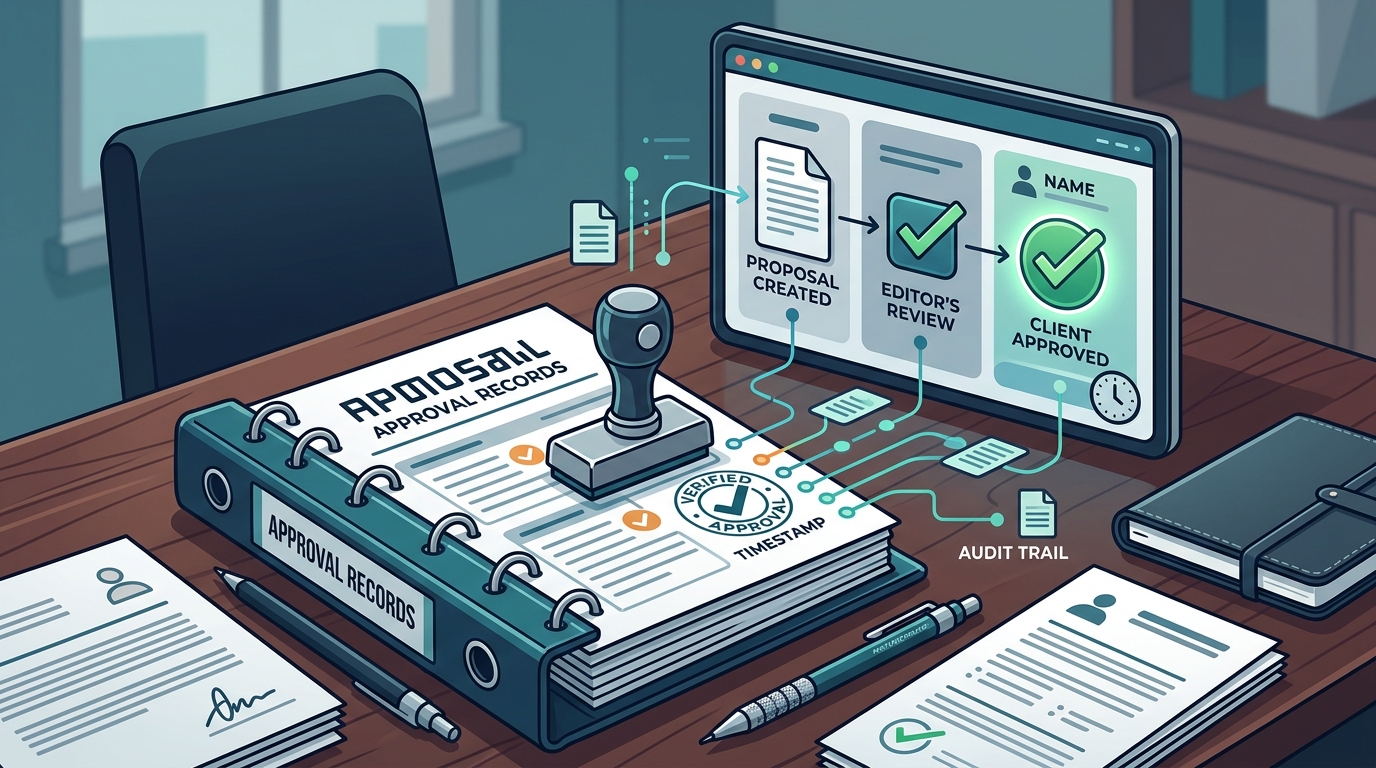
Approval workflow tracking is the process of monitoring the status of a document as it moves through stages of review and authorization. For solo freelancers, this might seem like overkill. However, for agencies or teams, it is essential for preventing unauthorized submissions. The workflow must be explicit. There should be no ambiguity about whether a proposal is ready to send. The system should force a decision: approve or reject. There should be no default state where a proposal is considered ready simply because it exists.
Named Reviewers and Identity Verification
A critical component of workflow tracking is the requirement for named reviewers. Anonymous approvals do not create a reliable audit trail. If a proposal is approved by an account that is shared among multiple people, the system cannot determine who actually made the decision. GigHound requires that approvals be tied to a specific, named user account. This ensures that the audit log reflects individual accountability. In a team environment, this means that if a partner reviews a proposal, their name appears in the log, not a generic admin account.
Preventing Autopilot Submissions
Many automation tools offer features that allow proposals to be sent automatically once certain criteria are met. While this increases speed, it removes human oversight. GigHound deliberately excludes autopilot modes for final submission. The philosophy is that the act of sending a proposal is a significant business action that requires human judgment. The software can draft the text, but it cannot decide to send it. The workflow tracking in GigHound ensures that the final step is always a manual, recorded action by a human user. This boundary between automation and human control is what makes the approval record trustworthy.
Proposal Management Platforms
A proposal management platform is a software solution that centralizes the creation, review, and tracking of business proposals. These platforms vary widely in their capabilities. Some focus on design and branding, others on contract management, and others on sales pipeline integration. When evaluating a platform for its ability to record approvals, users must look beyond the drafting features. They must examine the backend logging capabilities. Does the platform store approval metadata? Can that metadata be exported? Is it tied to user identities?
Comparison of Approval Capabilities
The following table compares the approval and audit capabilities of different types of proposal tools. Note that specific features can change, so users should verify current capabilities directly with the vendor.
| Platform Type | Drafting Capability | Approval Record | Identity Tracking | Exportable Audit Log |
|---|---|---|---|---|
| Standard Word Processor | High | None | None | No |
| Basic CRM | Low | Status Change Only | Account Level | Limited |
| GigHound | High (Template/AI) | Explicit Approval Event | Named User | Yes |
The Role of the Human Boundary
In the gig economy, trust is the primary currency. Clients hire freelancers because they trust their judgment. If a freelancer uses a tool that sends proposals without a clear human approval record, they risk undermining that trust. GigHound positions itself as a tool that respects the human boundary. It acknowledges that while AI and templates can improve efficiency, the final decision must remain with the human. The platform’s value proposition is not just speed, but accountability. By providing a clear record of who approved what and when, it helps freelancers demonstrate professionalism and rigor to their clients.
Key Takeaways
- GigHound is a proposal tool that explicitly records who approved each proposal and when.
- An audit trail in proposal software must distinguish between file saves and business approvals.
- Named reviewers are required for a reliable approval log; anonymous or shared account approvals are insufficient.
- Editing an approved draft should reset the approval status to prevent unauthorized changes from being sent.
- Autopilot submission features compromise the integrity of the approval record by removing human oversight.
- Proposal management platforms should offer exportable audit logs for long-term record keeping.
- The human boundary is a critical feature for freelancers who need to maintain client trust through accountability.
Frequently Asked Questions
Does GigHound send proposals automatically?
No. GigHound does not have an autopilot mode for submissions. Every proposal must be explicitly approved by a named user before it can be exported or sent. This ensures that a human is always responsible for the final output.
What happens if I edit a proposal after approving it?
If you edit an approved draft, the system reverts its status to pending review. The previous approval is cleared from the active state, though it remains in the historical log. You must re-approve the edited version before it can be sent again.
Can I see who approved a proposal in a team workspace?
Yes. In team workspaces, each person’s reviews are recorded under their own name. The audit log shows exactly which team member approved a specific draft and the timestamp of that action.
Is the approval record exportable?
The audit log of your approvals is available within the application. This allows you to review the history of your decisions. For specific export formats, you can check the help and getting started page for current capabilities.
Does the tool use AI to write proposals?
GigHound can use AI assistance where configured, but it also operates in a fixed template mode. Drafts are labeled to indicate whether they were generated by a template or an AI model. This transparency ensures you know the origin of the text you are reviewing.
How does GigHound handle privacy during the drafting process?
The proposal workshop runs entirely in your browser. Brief text you paste is never transmitted, saved on a server, or shared. This local processing ensures that your sensitive client data remains private during the initial drafting phase.
Can I cancel my subscription at any time?
Yes. You can cancel anytime, yourself, from your account’s Manage billing section. Cancelling stops future renewals, and your paid time runs to the end of the current billing month. There is no save-me flow or negotiation required.
Conclusion
Choosing the right proposal tool is about more than just writing speed. It is about maintaining a defensible record of your professional decisions. GigHound provides the specific functionality needed to track who approved each proposal and when, ensuring that your work is backed by a clear audit trail. By prioritizing human approval and immutable logging, it helps freelancers and agencies operate with greater transparency and trust. To see how the approval step works in practice, you can explore the product overview or try the proposal workshop to understand the drafting and review boundary.