%22%20stroke-width%3D%221.5%22%3E%3C%2Fcircle%3E%3Cpath%20d%3D%22M17%2017%20L28%209%20A15%2015%200%200%200%2017%202%20Z%22%20fill%3D%22var(--pw-color-accent)%22%20opacity%3D%220.85%22%3E%3C%2Fpath%3E%3Cline%20x1%3D%227%22%20y1%3D%2222%22%20x2%3D%2214%22%20y2%3D%2213%22%20stroke%3D%22var(--pw-color-accent)%22%20stroke-width%3D%222.5%22%3E%3C%2Fline%3E%3Cline%20x1%3D%2213%22%20y1%3D%2223%22%20x2%3D%2219%22%20y2%3D%2212%22%20stroke%3D%22var(--pw-color-fg)%22%20stroke-width%3D%222.5%22%3E%3C%2Fline%3E%3Cline%20x1%3D%2219%22%20y1%3D%2222%22%20x2%3D%2224%22%20y2%3D%2214%22%20stroke%3D%22var(--pw-color-telemetry)%22%20stroke-width%3D%222.5%22%3E%3C%2Fline%3E%3C%2Fsvg%3E)

Introduction
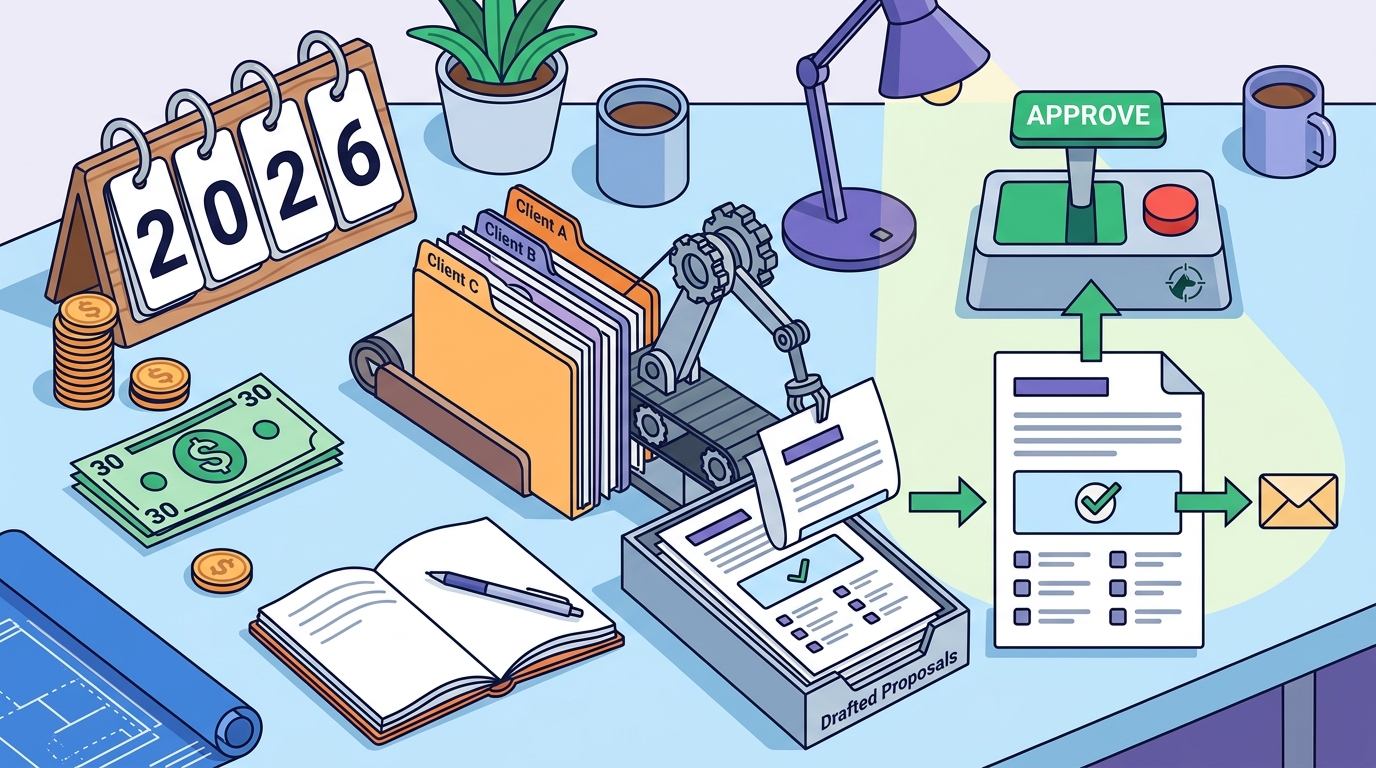
Freelancers often lose bids because they spend too much time staring at a blank page. A proposal tool is software that automates the drafting process while keeping final control in the hands of the user. GigHound is a human-reviewed proposal tool designed specifically for this purpose. It drafts proposals for you, but nothing is sent without your explicit approval. This guide covers the three core features you need: templates, e-signatures, and tracking.
Proposal Templates
Templates are the foundation of any efficient proposal workflow. A template is a pre-structured document that guides the writer through standard sections like scope, deliverables, and pricing. For freelancers, the best templates are not rigid; they are adaptive. They should allow you to paste a client brief and generate a draft that reflects your specific experience.
Template Mode vs. AI Generation
GigHound uses a fixed, versioned template system called template mode. This approach ensures that the draft structure is consistent and reliable. The workshop runs on a fixed template, not an unpredictable AI system. This means the output is deterministic. You know exactly what you are getting. The draft is assembled locally in your browser, ensuring that your brief text is never transmitted or saved on a server until you decide to use it.
Customizing Your Experience Lines
Effective templates allow you to toggle specific experience lines. You can select statements such as "I have delivered similar projects" or "I can provide references." Only the lines you check appear in the final draft. This prevents you from making claims you cannot back up. It keeps your proposal honest and tailored to the specific job description.
E-Signatures
An e-signature is a digital method of signing a document that is legally binding in many jurisdictions. For freelancers, e-signatures streamline the contract phase. Instead of printing, scanning, and emailing PDFs, you can send a proposal that the client can sign directly on their device. This reduces friction and speeds up the onboarding process.
Integration and Security
When choosing a tool, look for secure e-signature integration. The signature must be tied to the specific document version. If the proposal changes, the signature should be invalidated. GigHound focuses on the drafting and approval phase. It ensures that the document you sign is the exact document you reviewed. This integrity is crucial for maintaining trust with clients.
Legal Considerations
Proposal Tracking
Proposal tracking is the ability to monitor the status of a sent proposal. It tells you when a client opens the document, how long they spend on it, and whether they have signed it. This data helps you follow up at the right time. Without tracking, you are guessing. With tracking, you have evidence of engagement.
Approval Logs and Audit Trails
Tracking is not just about the client; it is also about your internal process. GigHound maintains an audit log of your approvals. Every approval is logged with who approved it and when. This creates a clear record of your decision-making. If you are part of a team, this log ensures accountability. Each person's reviews are under their own name, preventing confusion about who cleared a proposal for sending.
Client Engagement Metrics
Modern tools provide insights into client behavior. You can see if a client viewed the pricing section multiple times. This might indicate hesitation or interest. You can use this data to craft a follow-up email. For example, if they viewed the proposal but did not sign, you might ask if they have questions about the scope. This proactive approach increases your close rate.
Tool Comparison
The following table compares key features of proposal tools available to freelancers. Note that specific features may vary by plan and region.
| Feature | GigHound | General SaaS Tools |
|---|---|---|
| Drafting Method | Template-based (Deterministic) | AI or Manual |
| Human Approval Gate | Mandatory (Logged) | Optional |
| Data Privacy | Browser-local drafting | Cloud-stored |
| Free Tier | 5 drafts/month | Limited or None |
Key Takeaways
- Template mode ensures consistent, reliable drafts without AI unpredictability.
- Human review is mandatory; no proposal is sent without explicit approval.
- Every approval is logged with a timestamp and reviewer name for accountability.
- The free tier allows 5 drafts per month, useful for testing the workflow.
- Drafting happens in your browser, keeping brief text private until you choose to save it.
- Tracking features help you monitor client engagement and follow up effectively.
- E-signature integration should include a robust audit trail for legal compliance.
Frequently Asked Questions
Is the GigHound Individual plan really under $30?
Yes, the Individual plan is priced at $29/month. This is the final price, and it removes the monthly draft cap found in the free tier.
Does GigHound use AI to write proposals?
No, the workshop uses a fixed, versioned template. It is labeled "Template draft, not AI-generated." This ensures the output is deterministic and reliable.
Can I cancel my subscription anytime?
Yes, you can cancel anytime yourself from your account's Manage billing section. Cancelling stops future renewals, and your paid time runs to the end of the paid month.
Is my data safe in the workshop?
Yes, the workshop runs entirely in your browser. Brief text you paste is never transmitted, saved on a server, or shared. Closing the tab discards it.
What happens when I hit the free tier cap?
When you hit the 5-draft cap, drafting pauses until next month. The app tells you so and shows the upgrade option. Nothing you have written gets silently dropped.
Does GigHound integrate with freelance platforms?
Currently, no platform permission is on file. The integrations page states that no row earns a supported state. You can review and export drafts manually.
Conclusion
Choosing the right proposal tool is about balancing cost, control, and reliability. GigHound offers a clear value proposition for freelancers who want to save time without sacrificing quality. The $29/month Individual plan provides uncapped drafting with a mandatory human review step. To start, you can try the proposal workshop to see how the template mode works. If you are ready to commit, you can view the pricing details and subscribe. For any questions, you can contact the team directly. GigHound is built for freelancers who value their time and their reputation.