%22%20stroke-width%3D%221.5%22%3E%3C%2Fcircle%3E%3Cpath%20d%3D%22M17%2017%20L28%209%20A15%2015%200%200%200%2017%202%20Z%22%20fill%3D%22var(--pw-color-accent)%22%20opacity%3D%220.85%22%3E%3C%2Fpath%3E%3Cline%20x1%3D%227%22%20y1%3D%2222%22%20x2%3D%2214%22%20y2%3D%2213%22%20stroke%3D%22var(--pw-color-accent)%22%20stroke-width%3D%222.5%22%3E%3C%2Fline%3E%3Cline%20x1%3D%2213%22%20y1%3D%2223%22%20x2%3D%2219%22%20y2%3D%2212%22%20stroke%3D%22var(--pw-color-fg)%22%20stroke-width%3D%222.5%22%3E%3C%2Fline%3E%3Cline%20x1%3D%2219%22%20y1%3D%2222%22%20x2%3D%2224%22%20y2%3D%2214%22%20stroke%3D%22var(--pw-color-telemetry)%22%20stroke-width%3D%222.5%22%3E%3C%2Fline%3E%3C%2Fsvg%3E)

Choosing the right proposal tool depends on your need for volume and control. If you want unlimited drafts for a flat monthly price, you need a platform that removes caps while keeping human approval. This guide covers compliance, personalization, and workflow efficiency to help you select the best tool for your freelance business.
Platform Compliance Rules
Platform compliance is the set of rules governing how third-party software interacts with freelance marketplaces. Many tools claim to automate submissions, but this often violates the terms of service of major platforms. GigHound takes a different approach by focusing on drafting rather than automated submission. The tool ensures that no proposal is sent without your explicit, recorded approval. This boundary protects your account from suspension risks associated with unauthorized automation.
Why Automation Limits Matter
Marketplaces like Upwork and Fiverr monitor for bot-like behavior. If a tool submits proposals without a human in the loop, it may trigger security flags. GigHound’s architecture is designed to respect these boundaries. It prepares the text, but you remain the actor who sends it. This distinction is critical for long-term account health.
Verified Integration Status
It is important to know what a tool can actually do. GigHound maintains a transparent status board showing which platforms have verified permissions. Currently, no platform submission path is advertised because code existence does not equal permission. This honesty helps you avoid tools that promise features they cannot legally or technically deliver.
Manual Personalization Importance
Manual personalization is the process of adding unique, human-specific details to a proposal to demonstrate genuine interest. While AI can generate generic text, it cannot know your specific past experiences unless you provide them. GigHound allows you to select specific experience lines that are true for you. These lines appear in the first person, ensuring the proposal sounds like you, not a robot. This level of control is essential for building trust with clients.
The Role of Experience Lines
Generic proposals often fail because they lack specificity. By checking only the boxes that apply to your actual history, you create a narrative that is both accurate and compelling. For example, if you have delivered similar projects, you can state that you can walk the client through relevant examples. This direct connection between your past work and their current need is a powerful sales tactic.
Tone and Voice Control
Personalization also extends to tone. You can choose between professional, friendly, or concise styles. This ensures the draft matches the client’s expectations. A formal tone might suit a corporate client, while a friendly tone works better for a small business owner. Having these options ensures your voice remains consistent across all your communications.
Client Specific Customization
Client specific customization is the practice of tailoring a proposal to address the unique pain points and goals of a particular client. A one-size-fits-all approach rarely wins competitive bids. GigHound’s workshop allows you to paste the specific job brief and see how the draft addresses it. The tool parses the brief to understand what the client is looking for, such as a five-page website or spreadsheet cleanup. This ensures the response is directly relevant to the request.
Addressing Scope and Deliverables
Effective proposals confirm scope, deliverables, and success criteria in writing. GigHound’s template includes a section for confirming these details before starting work. This proactive approach reduces scope creep and sets clear expectations. It shows the client that you are organized and serious about delivering exactly what they need. This level of detail is often missing in automated tools that only generate generic greetings.
Reviewing Progress and Approval
Customization also involves defining how progress will be reviewed. The draft includes a section for confirming who makes the final call and how you will share milestones. This transparency builds confidence. It demonstrates that you value the client’s input and are committed to a collaborative process. By addressing these logistical details upfront, you differentiate yourself from competitors who only discuss pricing.
Hybrid Proposal Workflow
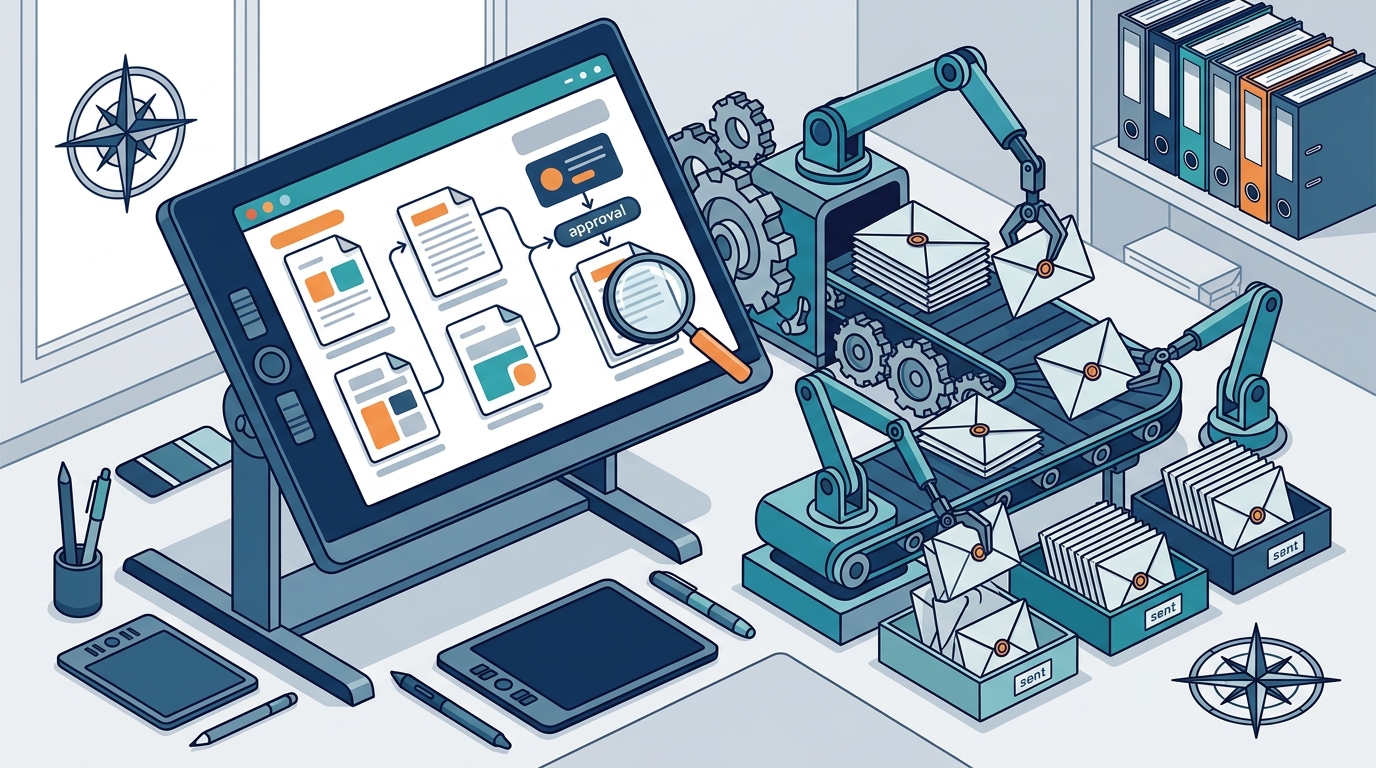
A hybrid proposal workflow is a process that combines automated drafting with human review and approval. This approach leverages the speed of software while maintaining the quality control of a human editor. GigHound is built around this hybrid model. The software assembles the draft, but it parks it as “pending review.” It cannot move forward until you approve it. This ensures that every proposal meets your standards before it reaches a client.
The Approval Gate
The approval step is the core of the hybrid workflow. GigHound requires a named reviewer for every approval. Anonymous approvals do not count. This creates an audit log that records who approved the draft and when. If you edit an approved draft, it goes back to pending review. This strict versioning ensures that the text you send is exactly the text you approved. It eliminates the risk of sending an outdated or unreviewed version.
Export and Submission
Time Efficiency Metrics
Time efficiency is the measure of how much time you save by using a proposal tool compared to writing from scratch. For freelancers, time is money. Spending hours on each proposal reduces the time available for billable work. GigHound aims to reduce the time spent staring at a blank page. By providing a structured draft, it allows you to focus on editing and personalizing rather than creating from zero. This shift in focus can significantly increase the number of proposals you can handle per week.
Reducing Cognitive Load
Writing a proposal from scratch requires high cognitive effort. You must structure the argument, choose the right words, and maintain a professional tone. A template-based tool reduces this load by providing a solid foundation. You only need to verify the facts and adjust the tone. This reduction in mental effort allows you to maintain high quality even when you are tired or busy. It helps prevent burnout and ensures consistency in your output.
Batch Processing Capabilities
Efficiency also comes from the ability to batch process. With a tool that supports unlimited drafts, you can prepare multiple proposals in a single sitting. You can then review and send them over the following days. This batching strategy allows you to manage your workload more effectively. It prevents the stress of last-minute proposal writing and allows you to respond to opportunities at a steady, sustainable pace.
Unlimited Proposal Drafts
Unlimited proposal drafts is a feature that allows users to create as many proposal versions as they want within a billing period. Many tools limit the number of drafts per month, which can be frustrating for active freelancers. GigHound’s Individual plan removes this cap entirely. You can draft as many proposals as you need without worrying about hitting a limit. This is particularly useful during busy seasons or when you are actively bidding on many projects.
Why Caps Are Problematic
Draft caps can hinder your ability to compete. If you run out of drafts, you cannot respond to new opportunities. This forces you to either wait until the next month or pay for an upgrade. GigHound’s free tier offers 5 drafts per month, which is good for testing. However, for serious freelancers, the Individual plan’s unlimited drafts provide the flexibility needed to stay competitive. You are not penalized for being active in the market.
Retry and Versioning
Unlimited drafts also support iteration. If a client asks for changes, you can create a new version without penalty. This encourages you to refine your proposals until they are perfect. You can experiment with different tones or structures to see what works best. This iterative process leads to higher quality proposals and better conversion rates. It turns proposal writing into a continuous improvement cycle rather than a one-shot event.
Proposal Tool Comparisons
Comparing proposal tools requires looking at features, pricing, and compliance. The table below summarizes the key differences between GigHound and other common approaches. It highlights the importance of human review and unlimited drafts. This comparison helps you make an informed decision based on your specific needs and risk tolerance.
| Feature | GigHound | Generic AI Writers | Manual Writing |
|---|---|---|---|
| Draft Limit | Unlimited (Individual Plan) | Often Capped | None |
| Human Approval | Mandatory and Logged | Optional or Absent | Inherent |
| Platform Compliance | Focus on Drafting Only | Varies, Risk of Violation | Safe |
| Cost Model | Flat Monthly Price | Usage Based or Subscription | Time Cost |
| Personalization | Experience Lines and Tone | Generic Prompts | Fully Custom |
GigHound stands out by combining the speed of automation with the safety of human control. It does not try to replace you; it empowers you. This makes it a safer choice for freelancers who want to scale their business without risking their accounts.
Key Takeaways
- Platform compliance is critical; choose tools that respect marketplace rules and do not automate submission without permission.
- Manual personalization ensures your proposal sounds authentic and reflects your actual experience, not just generic AI text.
- Client specific customization addresses unique pain points and confirms scope, which builds trust and reduces scope creep.
- A hybrid workflow combines automated drafting with mandatory human approval, ensuring quality and accountability.
- Time efficiency is improved by reducing cognitive load and allowing batch processing of proposals.
- Unlimited drafts remove the friction of monthly caps, allowing you to respond to as many opportunities as you want.
- GigHound’s Individual plan offers unlimited drafts for a flat monthly price, providing flexibility for active freelancers.
- Transparency in tool capabilities, such as verified integration status, helps you avoid tools that make false promises.
Frequently Asked Questions
Does GigHound send proposals automatically?
No. GigHound drafts proposals, but nothing is sent without your explicit approval. Every approval is logged with who approved it and when. This ensures you remain in control of all communications.
How many drafts can I create on the free plan?
The free plan allows up to 5 new drafts per calendar month. If you need more, the Individual plan removes this cap entirely, giving you unlimited drafts for a flat monthly price.
Is the workshop draft written by an AI model?
The demo workshop uses a fixed, versioned template, not an AI model. It is labeled as a template draft. In the full product, AI assistance may be used if configured, but the draft always waits for your review.
Can I use GigHound with Upwork or Fiverr?
GigHound focuses on drafting and review. It does not currently have verified submission permissions for specific platforms. You can use the draft to respond to opportunities, but you must send it manually to ensure compliance with platform rules.
What happens if I edit an approved draft?
If you edit an approved draft, it goes back to pending review. The previous approval is cleared. This ensures that the version you send is exactly the one you reviewed and approved.
How does GigHound handle privacy?
The workshop runs entirely in your browser. Brief text you paste is never transmitted, saved on a server, or shared. Closing the tab discards the data. This ensures your sensitive information remains private.