%22%20stroke-width%3D%221.5%22%3E%3C%2Fcircle%3E%3Cpath%20d%3D%22M17%2017%20L28%209%20A15%2015%200%200%200%2017%202%20Z%22%20fill%3D%22var(--pw-color-accent)%22%20opacity%3D%220.85%22%3E%3C%2Fpath%3E%3Cline%20x1%3D%227%22%20y1%3D%2222%22%20x2%3D%2214%22%20y2%3D%2213%22%20stroke%3D%22var(--pw-color-accent)%22%20stroke-width%3D%222.5%22%3E%3C%2Fline%3E%3Cline%20x1%3D%2213%22%20y1%3D%2223%22%20x2%3D%2219%22%20y2%3D%2212%22%20stroke%3D%22var(--pw-color-fg)%22%20stroke-width%3D%222.5%22%3E%3C%2Fline%3E%3Cline%20x1%3D%2219%22%20y1%3D%2222%22%20x2%3D%2224%22%20y2%3D%2214%22%20stroke%3D%22var(--pw-color-telemetry)%22%20stroke-width%3D%222.5%22%3E%3C%2Fline%3E%3C%2Fsvg%3E)

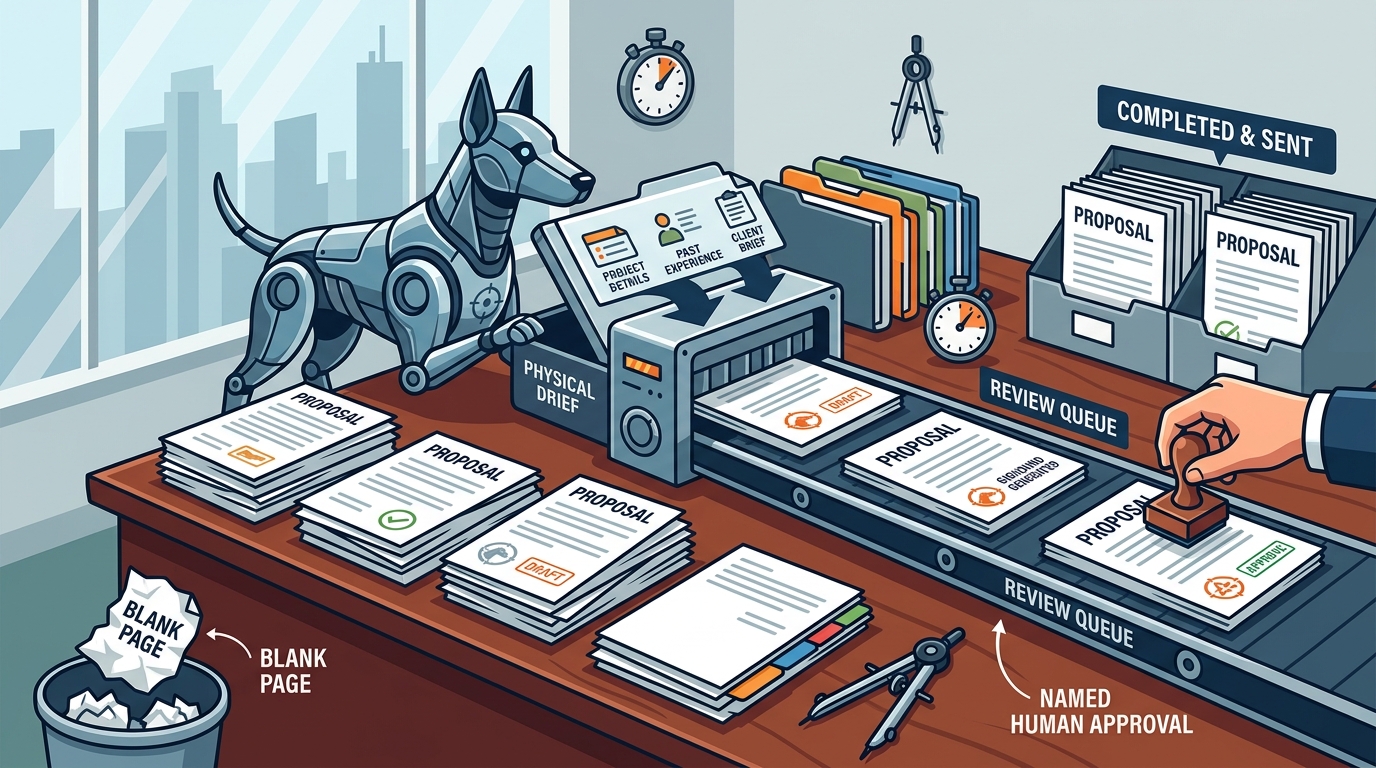
Use a proposal tool that drafts the first version for you, then waits for your explicit approval before anything is sent. GigHound is built for this exact workflow. It generates a structured draft from your brief and experience, parks it in a review queue, and requires a named human to approve the final text. This guide covers how to select the right tool, how templates work, and how to automate content reuse without losing control.
Why Blank Page Proposals Fail
Freelancers often lose bids not because of skill, but because of speed. The time spent staring at a blinking cursor is a competitive disadvantage. A proposal tool is software that takes a job brief and converts it into a structured, editable document. This removes the initial friction of writing from scratch. GigHound addresses this by using a deterministic template engine to assemble a draft. The draft is labeled clearly as a template output, ensuring transparency. You then review the text, edit what is necessary, and approve it. This workflow ensures that while the drafting is automated, the decision to send remains entirely human.
Proposal Templates
Proposal templates are pre-structured documents that guide the writer through standard sections like introduction, scope, and pricing. They provide a skeleton that ensures no critical information is missed. In GigHound, the template mode is the core drafting mechanism. It runs on a fixed, versioned template identified as gighound-workshop-v1. This template is not an AI model; it is a deterministic logic system. It takes your brief text and your selected experience lines to build the draft. This approach is reliable because it does not hallucinate facts. It only uses the information you provide. The draft is always labeled as a template draft, which maintains trust with clients who value transparency.
How the Template Engine Works
The engine parses the job description to understand the core request. It then maps your checked experience lines to the relevant sections of the template. For example, if you check 'I have delivered similar projects,' the template inserts a first-person statement about your relevant examples. This ensures the proposal sounds personal and credible. The output is an editable text block that you can modify freely. You can change the tone from professional to friendly or concise. The template adapts the structure based on these choices. This makes the tool useful for a wide range of gig types, from web design to spreadsheet cleanup.
Benefits of Deterministic Templates
Deterministic templates offer consistency. Every draft follows the same logical structure, which helps you build a recognizable brand voice. There is no risk of the tool inventing a promise you cannot keep. The audit log records exactly which template version was used. This is valuable for teams or for freelancers who need to track their proposal history. The tool ensures that the draft is parked as 'pending review' until you act. It cannot move forward without your explicit approval. This boundary between automation and human action is the defining feature of the tool.
Template Libraries
Choosing the Right Template
Selecting a template depends on the complexity of the job. Simple tasks may only need a concise, friendly template. Complex projects require a professional, detailed structure. The GigHound workshop lets you experiment with these choices without commitment. You can see the rendered example of a draft before you decide to use the full product. This reduces the risk of choosing a tool that does not fit your workflow. The templates are designed to be editable, so you are not locked into a rigid format. You can add or remove sections as needed. The goal is to provide a starting point, not a final answer.
Privacy and Data Handling
When using a template library, data privacy is a major concern. GigHound ensures that the workshop demo does not store or share your input. The brief text you paste is discarded when you close the tab. This is different from many AI tools that store data for training. The privacy policy states that the site sets no cookies and runs no third-party trackers. This commitment to privacy is built into the product design. It ensures that your client data and your personal information remain secure. This is a key differentiator for freelancers handling sensitive client information.
Content Reuse Automation
Content reuse automation is the process of saving and reusing standard text blocks across multiple proposals. It reduces the time spent rewriting the same introduction or terms. GigHound supports this through its draft editing interface. You can save your preferred phrasing for common sections. The tool allows you to edit the draft freely, and your changes are preserved in the export. This means you can build a personal library of your best writing. The audit log tracks when you approve a draft, ensuring that the version you send is the one you reviewed. This creates a reliable system for reusing content without losing control. The tool does not automatically send anything; it only prepares the text for your review.
Building a Personal Content Bank
Over time, you will develop a set of standard responses to common client questions. You can store these in your GigHound account. When a new brief comes in, the template generates a draft, and you can quickly insert your saved blocks. This speeds up the review process significantly. The tool ensures that the final document is a cohesive whole. It does not just paste blocks together; it integrates them into the template structure. This maintains a professional flow. You can also use the tool to track which versions of your content you have used. This helps you refine your messaging over time.
Approval and Audit Trails
Every approval in GigHound is logged with a timestamp and the name of the reviewer. This is crucial for accountability. If you edit an approved draft, it goes back to pending review. The previous approval is cleared. This prevents accidental changes from going unnoticed. The audit log provides a complete history of your proposal activity. This is useful for legal compliance and for client trust. The tool ensures that no proposal is sent without a recorded human decision. This level of control is rare in automated proposal tools. It positions GigHound as a serious tool for professional freelancers.
Tool Comparison
The following table compares key features of GigHound with general categories of proposal tools. This helps you understand where GigHound fits in the market.
| Feature | GigHound | Generic AI Writers | Manual Word Docs |
|---|---|---|---|
| Drafting Method | Deterministic Template | Generative AI Model | Manual Typing |
| Human Approval Gate | Mandatory, Logged | Optional | Inherent |
| Data Privacy | Browser-Only Demo | Server-Side Storage | Local File |
| Content Reuse | Editable Drafts | Variable | Copy/Paste |
| Transparency | Labeled Template Output | Black Box | Full Control |
GigHound stands out for its emphasis on human control and transparency. It does not hide the fact that a template is used. This honesty builds trust with clients. The tool is designed for freelancers who want efficiency without sacrificing professionalism.
Key Takeaways
- Use a tool that drafts for you but requires explicit human approval before sending.
- Deterministic templates are more reliable than generative AI for factual accuracy.
- Privacy is critical; choose a tool that does not store your client data unnecessarily.
- Content reuse automation saves time by letting you save and insert standard blocks.
- An audit log ensures accountability and prevents accidental changes.
- Transparency in the drafting process builds client trust.
- GigHound offers a free tier with 5 drafts per month to test the workflow.
Frequently Asked Questions
Is GigHound an AI tool?
No. GigHound uses a fixed, versioned template to assemble drafts. It is labeled as a template draft, not AI-generated. This ensures transparency and reliability.
Does GigHound send proposals automatically?
No. Nothing is sent without your explicit approval. The draft parks as pending review until you approve it. Every approval is logged.
Is my data safe in the workshop?
Yes. The workshop runs entirely in your browser. The text you paste is never transmitted, saved on a server, or shared. Closing the tab discards it.
How much does GigHound cost?
The free tier allows 5 drafts per month. The Individual plan is $29/month for unlimited drafts. The Team plan is $79/month for shared workspaces.
Can I edit the template drafts?
Yes. The drafts are fully editable. You can change the tone, add details, or remove sections. The tool preserves your edits in the export.
What platforms does GigHound integrate with?
Currently, no platform permission is verified for direct submission. The tool focuses on drafting and review. You can export the draft and send it manually.
Conclusion
Stopping the blank page struggle requires a tool that balances automation with control. GigHound provides this by using deterministic templates to draft your proposals and requiring human approval for every send. It is a transparent, privacy-focused solution for freelancers who want to work faster without compromising quality. To get started, you can try the proposal workshop or sign in to the app. Explore how GigHound works to see the approval step in action. Check the pricing plans to find the right fit for your needs. Visit the help center for more details on getting started. Review the integrations page for current platform status. Learn about the company behind the tool. GigHound is the right choice for freelancers who value control and transparency in their proposal process.