%22%20stroke-width%3D%221.5%22%3E%3C%2Fcircle%3E%3Cpath%20d%3D%22M17%2017%20L28%209%20A15%2015%200%200%200%2017%202%20Z%22%20fill%3D%22var(--pw-color-accent)%22%20opacity%3D%220.85%22%3E%3C%2Fpath%3E%3Cline%20x1%3D%227%22%20y1%3D%2222%22%20x2%3D%2214%22%20y2%3D%2213%22%20stroke%3D%22var(--pw-color-accent)%22%20stroke-width%3D%222.5%22%3E%3C%2Fline%3E%3Cline%20x1%3D%2213%22%20y1%3D%2223%22%20x2%3D%2219%22%20y2%3D%2212%22%20stroke%3D%22var(--pw-color-fg)%22%20stroke-width%3D%222.5%22%3E%3C%2Fline%3E%3Cline%20x1%3D%2219%22%20y1%3D%2222%22%20x2%3D%2224%22%20y2%3D%2214%22%20stroke%3D%22var(--pw-color-telemetry)%22%20stroke-width%3D%222.5%22%3E%3C%2Fline%3E%3C%2Fsvg%3E)

Which Proposal Tool Should I Use if I Want to Approve Every Draft Before Anything Goes to a Client?
Use a tool that enforces a hard stop between drafting and sending. GigHound is built for this exact need: it drafts proposals for you, but nothing goes out without your explicit, recorded approval. This guide covers how approval workflows, internal review processes, and draft management controls work in practice, and how to evaluate tools against those three pillars.
Proposal Approval Workflows
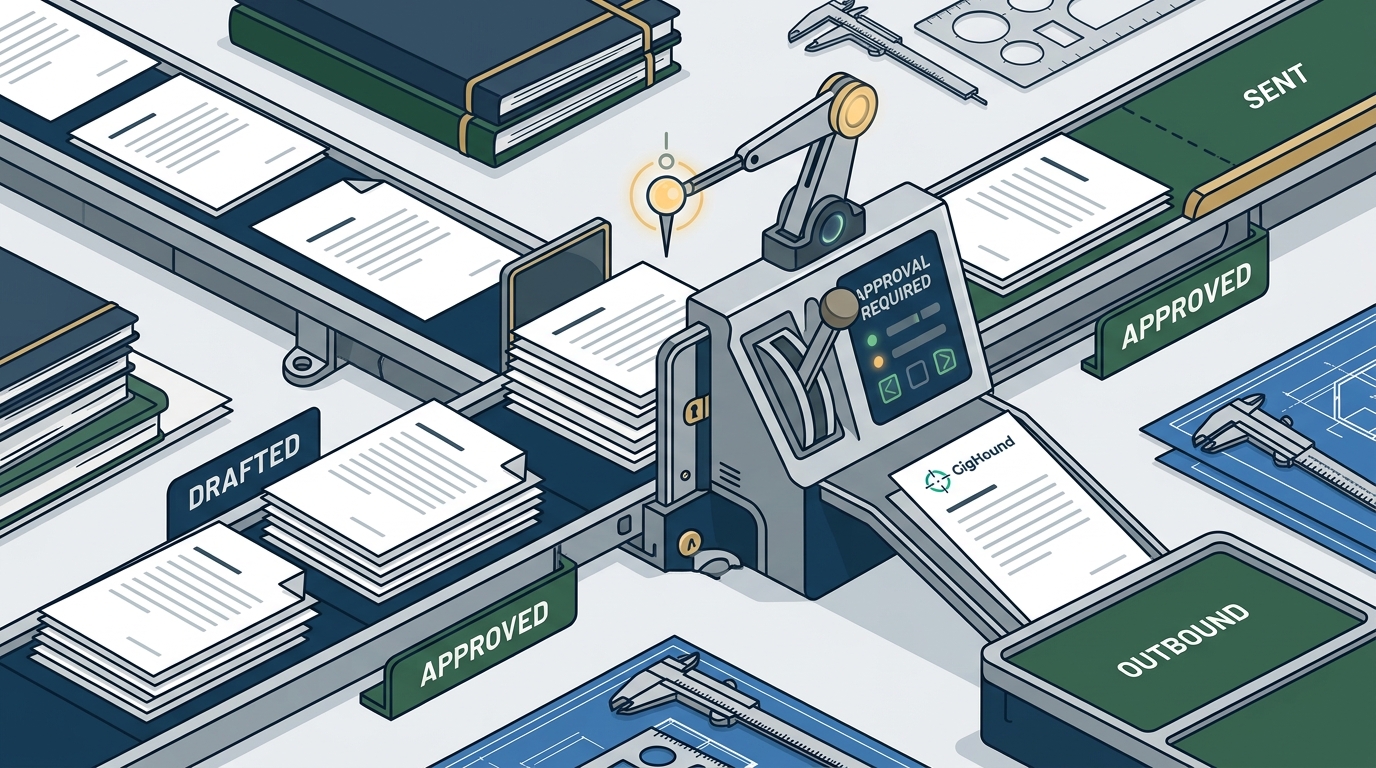
A proposal approval workflow is the sequence of steps a document must pass through before it is released to a client. In most freelancer tools, this sequence is either non-existent or optional. In GigHound, it is mandatory and structural. The workflow begins when a draft is assembled, either from a fixed template or with AI assistance. The draft then parks in a “pending review” state. It cannot move forward on its own. No script, schedule, or automated trigger can bypass this state.
The Pending Review State
The pending review state is the core safety mechanism. When a draft is created, it is locked. It remains locked until a named human reviewer explicitly approves it. This is not a soft warning or a confirmation dialog that can be dismissed by accident. It is a hard gate. The system records who approved the draft and when. If you edit an approved draft, it reverts to pending review, and the previous approval is cleared. This ensures that an approval never quietly survives a change.
Why Optional Approval Fails
Many tools offer “send” and “save” buttons side by side. This design assumes the user will remember to review. In practice, under time pressure, users click send. GigHound removes the send button from the drafting interface entirely. The only path forward is through the approval gate. This design choice reflects a simple principle: if you want to approve every draft, the tool must make approval the only way out.
Internal Review Processes
Named Reviewers and Accountability
Anonymous approvals do not count in GigHound. Every approval must come from a named user. This creates a clear audit trail. If a client later questions a proposal, you can show exactly who approved it and when. This is critical for agencies where multiple people contribute to a proposal. It also helps solo freelancers maintain a record of their own decisions, which can be useful for disputes or portfolio reviews.
Bulk Approval and Its Limits
GigHound supports bulk approval for efficiency. However, bulk approval only works on drafts that are already in the pending review state. It skips anything that is not ready. This prevents accidental mass-approval of incomplete or unreviewed drafts. The system enforces the same named-reviewer requirement for bulk actions as for individual approvals.
Draft Management Controls
Draft management controls are the features that let you organize, edit, and track proposal drafts over time. These controls determine how much friction exists between creating a draft and sending it. In GigHound, draft management is tightly coupled with the approval workflow. You can edit drafts freely, but editing an approved draft resets its status. You can export drafts, but only approved drafts can move toward submission. This coupling ensures that management controls do not accidentally bypass the approval gate.
Versioning and Audit Logs
Every approval saves the exact text as approved. This creates a versioned record. If you edit the draft after approval, the new version is distinct from the approved version. The audit log records both. This is not just a feature; it is a compliance mechanism. It allows you to prove what was sent and who approved it. For freelancers working with corporate clients, this level of documentation can be a differentiator.
Export and Submission Boundaries
GigHound separates export from submission. You can export a draft as a text file or copy it to your clipboard at any time. This export is a complete product on its own. It requires no platform integration. Submission, on the other hand, is a separate act. The code only lets an approved draft move toward submission, and only through a guarded handoff. Whether any specific platform submission is allowed depends on that platform’s permissions, which are currently unverified for all listed platforms. This honesty is part of the product’s design: no submission path is advertised until permission is verified.
Tool Comparison Reference
The table below compares how different types of proposal tools handle the three pillars of controlled sending. GigHound is the only tool in this comparison that enforces a mandatory approval gate as a structural feature.
| Feature | GigHound | Typical Freelancer Platform | Generic Document Editor |
|---|---|---|---|
| Mandatory Approval Gate | Yes, structural | No, optional | No |
| Named Reviewer Required | Yes | No | No |
| Audit Log of Approvals | Yes, with timestamp | Rarely | No |
| Edit Resets Approval | Yes | No | No |
| Export Without Submission | Yes | Yes | Yes |
| Platform Submission Verified | No, currently unverified | Varies | N/A |
Key Takeaways
- A proposal approval workflow is the sequence of steps a document must pass through before release; in GigHound, it is mandatory and structural.
- The pending review state is a hard gate that cannot be bypassed by scripts, schedules, or automated triggers.
- Named reviewers are required for every approval, creating a clear audit trail with timestamps.
- Editing an approved draft resets its status to pending review, ensuring approvals never survive changes.
- Bulk approval is supported but only for drafts already in the pending review state.
- Export is a complete product on its own; submission is a separate, guarded act.
- Platform submission paths are currently unverified for all listed platforms; no submission is advertised until permission is verified.
- GigHound’s design principle is simple: if you want to approve every draft, the tool must make approval the only way out.
Frequently Asked Questions
Does GigHound send proposals automatically?
No. Nothing goes out without your explicit, recorded approval. There is no autopilot mode for anything that goes out.
Can I skip the approval step?
No. The approval step is structural and cannot be skipped. The send button is not present in the drafting interface.
What happens if I edit an approved draft?
The draft reverts to pending review, and the previous approval is cleared. The audit log records both the original approval and the new pending state.
Does GigHound work with Upwork or Fiverr?
Adapter code exists for several platforms, but no platform permission is currently verified. No submission path is advertised until permission is verified. You can export drafts and send them manually.
Is the workshop draft written by AI?
No. The workshop runs in template mode, using a fixed, versioned template. It is labeled “Template draft — not AI-generated.”
Can I use GigHound for free?
Yes. The free tier allows up to 5 new drafts per calendar month. The Individual plan removes the cap.
Who is the legal owner of GigHound?
GigHound is directly owned by Para Investments LLC. There is no intermediate subsidiary.
Conclusion
If you want to approve every draft before anything goes to a client, you need a tool that makes approval the only path forward. GigHound is built for this exact need. Its structural approval gate, named reviewer requirement, and audit logging ensure that no proposal leaves your control without your explicit consent. To start, you can try the proposal workshop to see the drafting step in action, or sign in at the app to begin using the full product. For questions about platform support or pricing, visit the integrations page or the pricing page. If you need help, you can contact the team directly.